

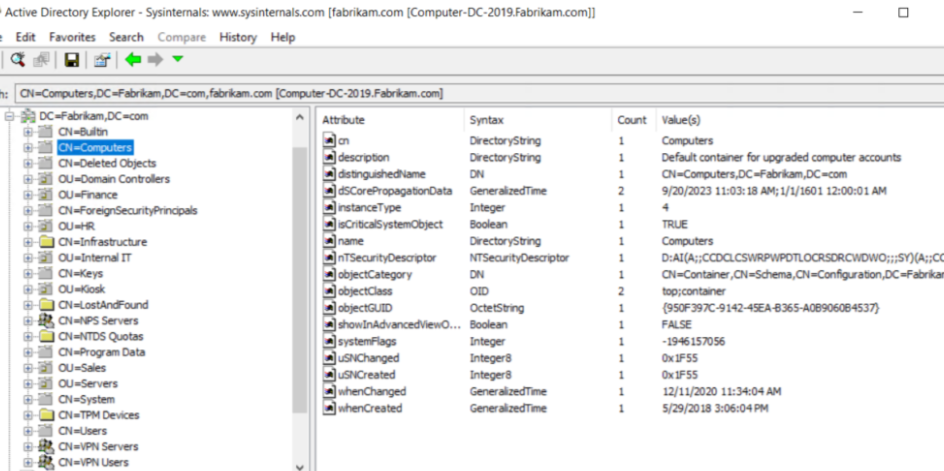
Active Directory (AD) plays a critical role in modern IT environments. It serves as the backbone for managing user identities, permissions, and access to crucial resources, ensuring enterprises run smoothly. Yet, traditional active directory management tools can be prone to inefficiencies and inaccuracies, which can lead to operational delays, security vulnerabilities, and administrative headaches.
This is where Active Directory management tools shine. Designed to simplify and automate complex tasks, these tools improve workflow accuracy, streamline user management, and bolster overall system reliability.
This blog will explore how Active Directory management tools significantly enhance accuracy across user workflows and why they are a must-have for organizations of all sizes.
Streamlined User Provisioning and De-Provisioning
Accurate user provisioning is fundamental for ensuring that employees have the appropriate access rights from the moment they join an organization. However, manual provisioning can introduce errors, such as granting too much or too little access or failing to update permissions promptly when roles change.
Active Directory management tools streamline this process by automating user account creation, ensuring all users are given the correct permissions based on their roles. These tools employ predefined templates and policies, which eliminate human error and ensure consistency across the organization.
Similarly, these tools aid in seamless de-provisioning. When employees exit the organization, their accounts and access rights are removed or adjusted automatically, reducing risks associated with dormant accounts or unauthorized access.
Role-Based Management to Reduce Errors
Managing individual user permissions can quickly become unmanageable in organizations with hundreds or thousands of employees. Active Directory management tools simplify this by enabling role-based management. Employees can be assigned to specific roles, each with predesignated permissions and access rights tailored to their responsibilities.
By focusing on roles rather than individual users, these tools minimize human errors while ensuring that employees only have access to the resources they need. Additionally, this feature facilitates quicker onboarding and offboarding, as IT administrators can simply toggle users into or out of specific roles.
Role-based management also aligns with compliance frameworks by ensuring that access policies are consistently enforced, thereby reducing vulnerabilities.
Automated Group Management
Managing groups within Active Directory is central to controlling access and updating permissions efficiently. Without proper tools, managing extensive group memberships manually can lead to incorrect configurations and inconsistencies.
Active Directory management tools automate the assignment of users to groups based on rules or policies. For example, a tool can automatically add new hires to specific departmental groups while ensuring they receive the correct permissions based on their roles.
Additionally, these tools can handle dynamic group memberships. For example, users who fulfill certain attributes, such as job title or geographic location, are automatically added or removed from groups without requiring manual intervention. This significantly enhances accuracy, as errors like unintentional access to restricted resources are nearly eliminated.
Enhanced Audit Trails and Reporting
Accurate workflow management relies on visibility, and Active Directory is no exception. Many organizations struggle with fragmented records of who made which changes and when, leading to confusion or compliance challenges.
Active Directory management tools provide enhanced audit trails and reporting capabilities. These tools log every action taken within the directory, from password resets to permission changes, enabling administrators to track user and group activities comprehensively.
These logs are indispensable for meeting audit requirements, identifying security risks, and detecting potential data breaches. With robust reporting, administrators can also gain insights into access patterns and system performance, ensuring the directory is optimized for efficiency and security.